 Zoho CRM Implementation
 Zoho One Consulting
 Zoho Books Setup
 Zoho Analytics & BI
 Data Migration Services
 Zoho Desk Automation
 Zoho Creator Development
 Zoho Automation Services
 Zoho Widget Development
 Zoho Extension Development
 Deluge Development
 Zoho Integration Services
 Zoho API Integration
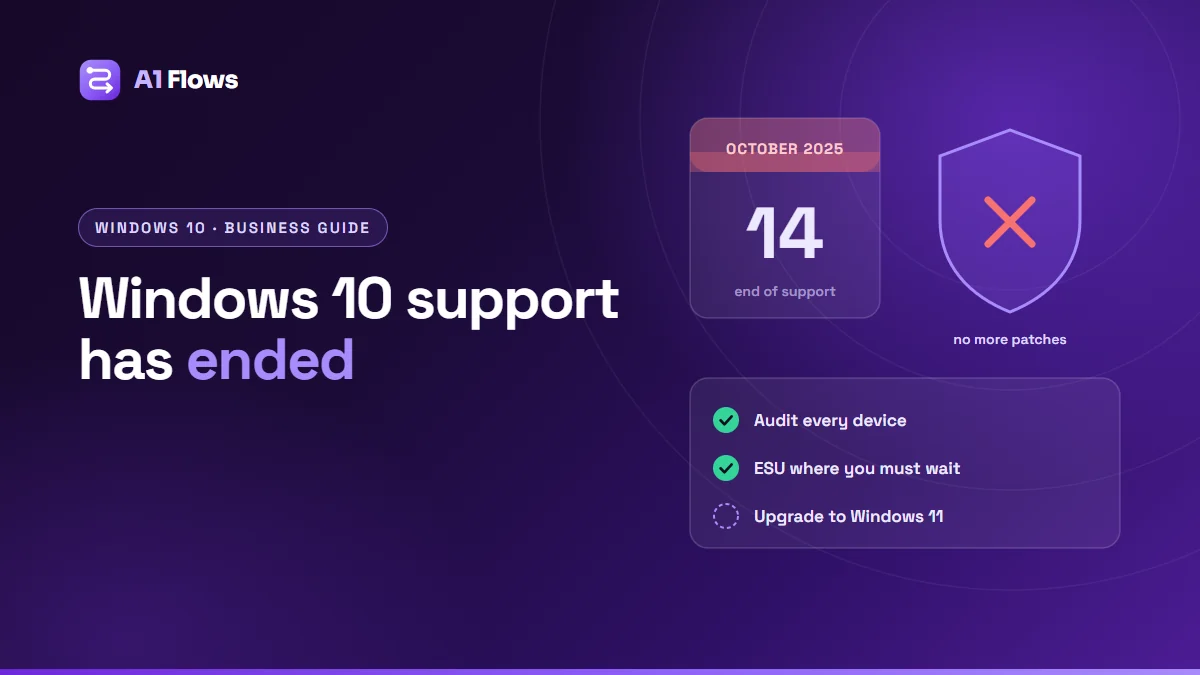
Microsoft ended support for Windows 10 on 14 October 2025. Windows 10 PCs still start and run, but they no longer receive security fixes, feature updates or technical support from Microsoft – unless they are enrolled in Extended Security Updates (ESU). For a business, that means every Windows 10 machine still in use is either covered by ESU or collecting vulnerabilities that will never be patched.
This guide explains what changed, how ESU works for organisations, what it means for Microsoft 365, and a practical plan for moving to Windows 11.
In this guide
- What ended on 14 October 2025
- Why it matters for a business
- Extended Security Updates for organisations
- Microsoft 365 on Windows 10
- Windows 11 requirements
- A step-by-step plan
- Common mistakes
- Frequently asked questions
What ended on 14 October 2025
According to Microsoft, three things stopped for Windows 10 on that date:
- Technical support from Microsoft.
- Feature updates and new features.
- Quality updates, including security and reliability fixes.
Nothing switches off. The risk is quieter than that: every security flaw found in Windows 10 from now on stays open on any machine that is not enrolled in ESU.
Why it matters for a business
- Security. An unpatched operating system is one of the easiest ways into a network, and attackers look specifically for machines that no longer receive fixes.
- Compliance and contracts. Security standards, cyber insurance forms and client security questionnaires commonly ask whether your devices run supported software.
- Software support. Vendors of the applications you rely on will, over time, stop testing and supporting them on Windows 10.
Extended Security Updates for organisations
ESU is Microsoft’s paid bridge: it keeps delivering security updates (and only security updates) to Windows 10 devices for a limited time. For organisations, the commercial ESU programme works like this:
- Price: $61 per device for the first year through Volume Licensing. The price doubles every consecutive year, for a maximum of three years.
- Cumulative: joining in year two means paying for year one as well.
- No support: technical support is not included.
- Eligible editions: Windows 10 Enterprise, Education, and Pro in commercial use.
- Cloud exception: Windows 10 virtual machines in Windows 365, Azure Virtual Desktop and Azure receive ESU at no extra cost.
| Commercial ESU year | Coverage ends |
|---|---|
| Year 1 | 13 October 2026 |
| Year 2 | 12 October 2027 |
| Year 3 | 10 October 2028 |
Dates from Microsoft’s ESU lifecycle FAQ. Personal devices use a separate consumer ESU programme, which Microsoft has extended to 12 October 2027 and which has its own requirements and regional terms.
Treat ESU as time to finish the move, not as a plan. Because the price rises each year and is cumulative, it is cheapest for the devices you retire soonest.
Microsoft 365 on Windows 10
Microsoft 365 Apps are on a different timeline. According to Microsoft, they continue to receive security updates on Windows 10 until 10 October 2028, and feature updates until Version 2608 is released, after which those devices stay on that version with security updates only.
That keeps Word, Excel and Outlook patched – but it does nothing for the operating system underneath them. An up-to-date Office on an unpatched Windows is still an unpatched device.
Windows 11 requirements
The minimum specification for Windows 11 is:
| Component | Minimum |
|---|---|
| Processor | 1 GHz or faster, 2 or more cores, compatible 64-bit processor or System on a Chip |
| Memory | 4 GB RAM |
| Storage | 64 GB |
| Firmware | UEFI, Secure Boot capable |
| TPM | Version 2.0 |
| Graphics | DirectX 12 compatible, WDDM 2.0 driver |
| Display | 720p, larger than 9 inches |
Older machines are usually ruled out by the processor or TPM requirement rather than by memory or storage, so check those first.
A step-by-step plan
- List every Windows device – edition, version, hardware, who uses it and what for. You cannot plan for machines you do not know about.
- Sort them into three groups: can upgrade to Windows 11, must be replaced, and cannot move yet (a line-of-business application, specialised hardware, a device about to be retired).
- Test your critical software on Windows 11 before rolling out: older desktop applications, printer and scanner drivers, VPN clients, and anything that talks to specialist hardware.
- Back up before upgrading. Make sure work files live in shared cloud storage rather than on individual desktops.
- Upgrade in waves, starting with a small pilot group whose feedback you trust, then department by department.
- Enrol the “cannot move yet” group in ESU, with a named retirement date for each device.
- Update your records – the asset register, security policy and anything you declare to insurers or clients.
If your business already runs on cloud applications such as Zoho, most of the move is about the device rather than the data: the work lives in the cloud and is waiting on the new machine as soon as someone signs in.
Common mistakes
- Assuming “it still works” means “it is fine”. The machine works; it simply stopped being fixed.
- Forgetting the machines nobody thinks about – the reception PC, the warehouse terminal, the laptop in a drawer.
- Buying ESU without a retirement date. It gets more expensive every year, and the cost is cumulative.
- Upgrading everyone on the same day. A pilot finds the driver or application problem before the whole office does.
- Relying on patched Office to cover an unpatched Windows. They are separate layers.
Frequently asked questions
Does Windows 10 still work after end of support?
Yes. It keeps running, but without security fixes, feature updates or technical support from Microsoft unless the device is enrolled in Extended Security Updates.
How much does ESU cost for a business?
Microsoft lists commercial ESU at $61 per device for the first year through Volume Licensing, with the price doubling each consecutive year for up to three years. It is cumulative, so joining later means paying for the earlier years too.
How long can a business stay on Windows 10 with ESU?
Up to three years. The third and final year of commercial ESU ends on 10 October 2028.
Will Microsoft 365 keep working on Windows 10?
Yes, for now. Microsoft 365 Apps receive security updates on Windows 10 until 10 October 2028, and feature updates until Version 2608 is released.
What does a PC need to run Windows 11?
At minimum a compatible 64-bit processor with two or more cores at 1 GHz or faster, 4 GB of RAM, 64 GB of storage, UEFI firmware with Secure Boot capability and TPM 2.0, plus DirectX 12 compatible graphics.
Is ESU a long-term option?
No. It covers security updates only, rises in price each year and ends after three years at most. Use it for the devices that genuinely cannot move yet.
Next steps
Start with the device list; it turns an open-ended worry into a short project with a known number of machines in each group. If you are moving files and business processes into the cloud at the same time, our guide to Zoho WorkDrive integrations covers keeping documents in one shared place – or book a free call to talk it through.